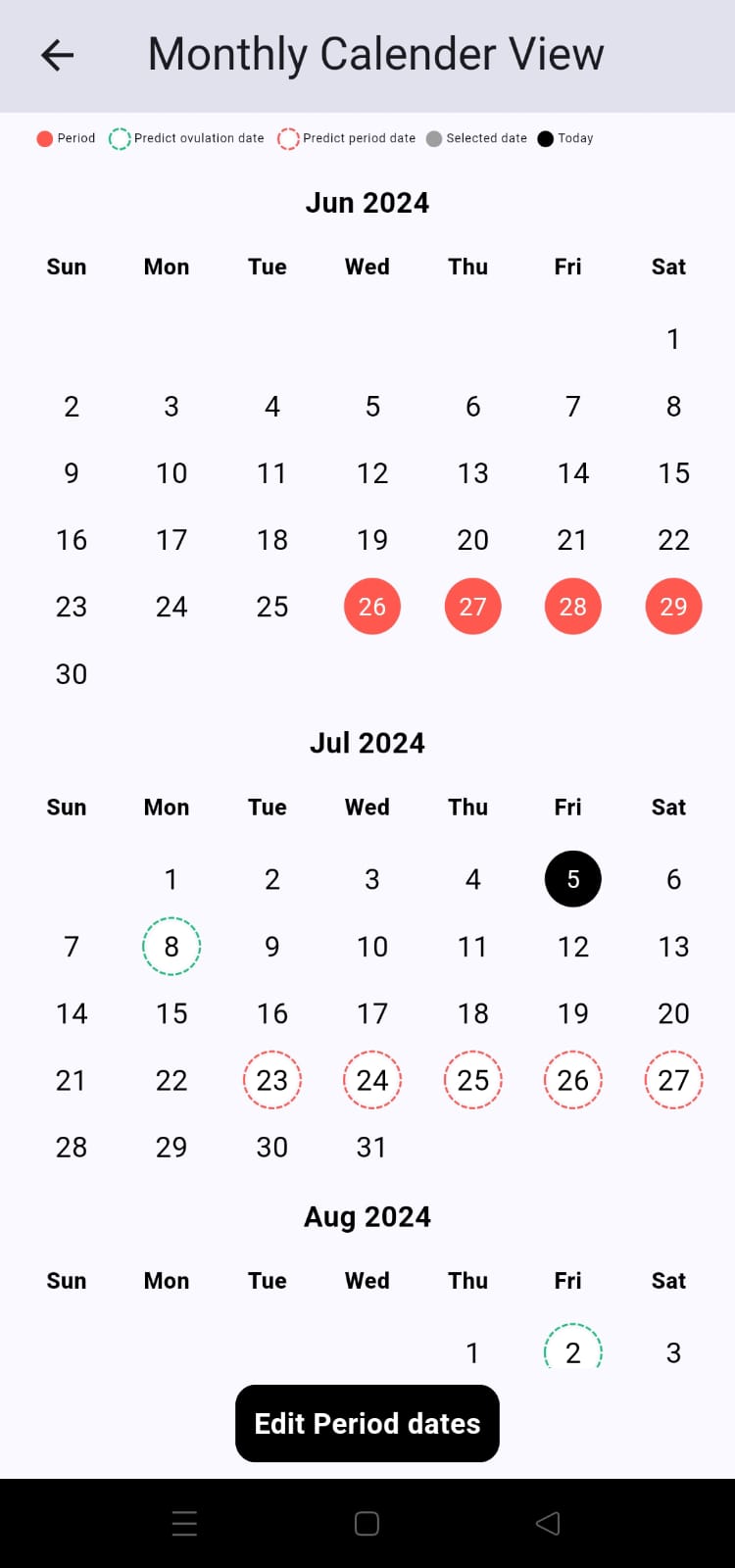
# Monthly calender view

<figure><img src="https://raw.githubusercontent.com/sandipkalola/menstrual_cycle_widget_example/main/assets/month_view.jpeg" alt="" width="188"><figcaption></figcaption></figure>

```dart
import 'package:menstrual_cycle_widget/menstrual_cycle_widget.dart';

class CalenderExample extends StatelessWidget {
  @override
  Widget build(BuildContext context) {
    return Scaffold(
      appBar: AppBar(
        title: Text('Monthly Calender View'),
      ),
      body: MenstrualCycleMonthlyCalenderView(
        themeColor: Colors.black,
        hideInfoView: false,
        daySelectedColor: Colors.blue,
        onDataChanged: (value) {},
      ),
    );
  }
}
```

## Parameter

<table><thead><tr><th>Parameters</th><th width="110">Datatype</th><th width="329">Description</th><th>Default Value</th></tr></thead><tbody><tr><td><code>themeColor</code></td><td>Color</td><td>Specifies the theme color to match the app’s style</td><td>Colors.black</td></tr><tr><td><code>daySelectedColor</code></td><td>Color</td><td>Specifies the selected day color.</td><td>Colors.grey</td></tr><tr><td><code>hideInfoView</code></td><td>bool</td><td>Set true to hide information view. </td><td>false</td></tr><tr><td><code>onDataChanged</code></td><td>Function</td><td>Callback this function if change any data into calender view.</td><td>-</td></tr><tr><td><code>isShowCloseIcon</code></td><td>bool</td><td>Set true to show (X) close icon on top left side of calender view. </td><td>false</td></tr></tbody></table>
